A drawing on a screen and a drawing made with a real pen are different finished objects. UUNA TEK is interesting when the physical line is the point: a generative artwork, a carefully plotted card or a repeatable illustration on paper. The purchase becomes convincing when you already know what you want to draw and can picture the machine fitting into that process.
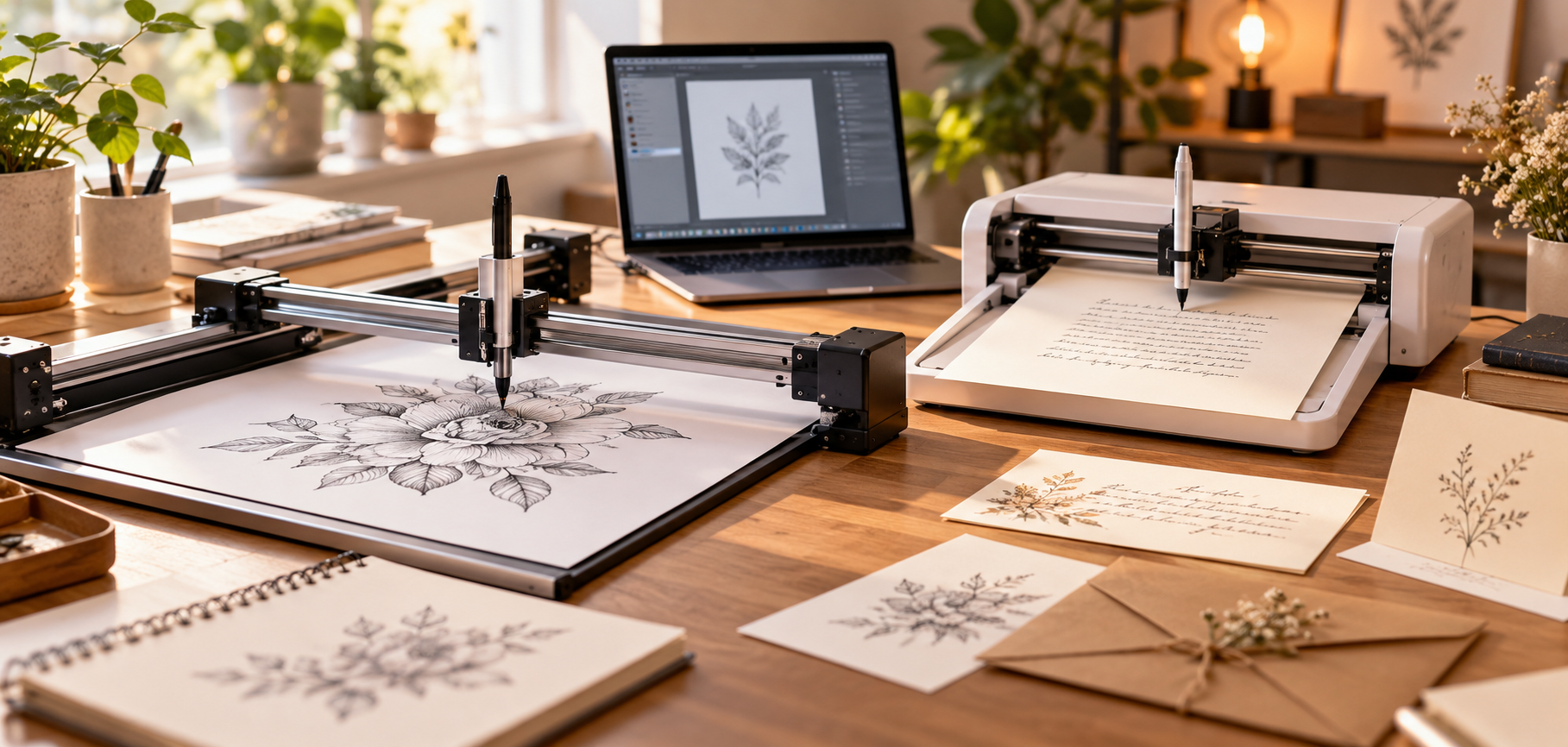
Our view is that the iDraw range deserves a shortlist for people who enjoy preparing vector artwork and experimenting with pens. It is a weaker match for someone expecting any photograph or ordinary document to become a finished drawing without preparation. This is an assessment of the published range and workflow, not a hands-on speed, accuracy or reliability test.
The products worth comparing
The official catalogue currently distinguishes the iDraw 2.0 A4, iDraw H A3, iDraw H SE A3/A2 and UUNA TEK 3.0 families. These are the useful names to take into your comparison, rather than treating every UUNA TEK drawing robot as the same machine with a different price.
The download centre also distinguishes their software paths. Its compatibility table groups the iDraw models around Inkscape and an extension, while listing proprietary software and an Inkscape route for UUNA TEK 3.0. Check the exact model and operating-system column. A tutorial for an older unit is useful background, but it is not proof that every control or accessory works on a different version.
For an artist working with relatively small sheets, the first comparison is between an appropriate iDraw format and the artwork they genuinely want to make. Larger 3.0 configurations and iAuto handwriting systems address other workloads. They should not become automatic upgrades simply because their advertised capacity is greater.
What the machine changes—and what remains your work
Imagine a layered line drawing that you would like to produce in several colour combinations. A plotter offers a route to repeating the planned paths with a physical pen. You still decide the drawing, prepare the file, choose the paper and judge the result. That is an illustrative project, not an account of our own testing.
This division is the attraction. The machine can form part of a deliberate studio process instead of another screen-based output. The tradeoff is that file preparation becomes part of making the object. If the preparation itself sounds frustrating, a finished-print service may suit the project better than owning a plotter.
Start with a file, not a maximum-speed claim
Before paying, prepare one representative design and ask the seller which workflow its chosen machine supports. Include the actual page dimensions, the kind of paths and any lettering you intend to use. A simple geometric drawing and a dense, multi-layer composition are different demonstrations.
Ask for clarification about scale, page orientation, margins, pen lifts and how a job resumes after an interruption. These details affect the usefulness of a workflow more directly than a headline speed multiplier. We have not benchmarked competing plotters, so we would not turn a manufacturer speed comparison into a measured ranking.
For lettering, establish that you have the rights to the design or font. Use the machine for authorised creative output. A pen-written result should not be represented as a personal handwritten message from someone who did not create or authorise it.
Paper size is not the whole space requirement
An A3 project does not mean the machine occupies only an A3 rectangle. Leave room for its frame, cable route, moving parts and the way you load a sheet. Ask for the installed dimensions of the selected configuration, then mark that area on the intended desk.
Also consider where finished sheets will dry and where pens and paper will live. A machine that stays conveniently ready can be more useful than a larger one that must be unpacked and recalibrated for every short session. Avoid calculating value from an unrealistic promise that you will use every available size.
Pens, paper and setup are part of the budget
Check the supplied pen holder, compatible pen dimensions, included accessories and any extra fixtures required for your material. Do not assume an accessory pictured elsewhere in the catalogue comes with the selected machine. Keep laser accessories separate from a pen-plotting purchase unless that is an independently assessed project.
A sensible first basket is the machine, the necessary compatible accessories and a modest supply of suitable materials. Add time for learning the software and making trial plots. There is little saving in buying several optional upgrades before you know which part of the process needs improvement.
Our balance of strengths and limitations
Strong reason to consider it: a named range of drawing formats and an official software and tutorial centre give you concrete things to investigate before ordering.
Best-fit buyer: someone who wants a repeatable pen-based creative process and is comfortable learning file preparation.
Main limitation: the hardware does not remove the need to understand files, materials and setup.
What this review cannot establish: real-world precision, noise, long-job reliability or production throughput.
Offers, support and the final decision
The official site currently advertises a Halloween promotion of up to 40%, free shipping, a one-year warranty and lifetime support. An “up to” headline applies to selected configurations; compare the actual machine price and the destination-specific shipping and warranty terms.
Two older Remaxcode cards advertised an iDraw H A3 at $559 and an iDraw 2.0 at $489. We have left those fixed-price cards out of this review because the official catalogue showed different prices when checked. The remaining cards are shopping routes to verify, not a promise that separate benefits combine.
Explore current UUNA TEK offers
Shop UUNA TEK offers on Remaxcode, compare the exact iDraw configuration and buy the one that fits your first real project. A clear plan for the drawing, desk and software is a stronger reason to order than the largest number on a product card.

UUNA TEK
Free Shipping on All Orders
Every UUNA TEK pen plotter and handwriting machine ships free.
UUNA TEK
Duty-Free US Delivery on Most Models
Most UUNA TEK iAuto and iDraw models ship duty-free to the US.
UUNA TEK
1-Year Warranty + Lifetime Support
Every machine includes a 1-year warranty and lifetime support.
Sources: UUNA TEK official product catalogue, software compatibility/download centre and shipping/warranty policy, checked October 19, 2026. This review evaluates published information; no hands-on plotting or coupon redemption test was performed. Prices, software support and offers can change. Remaxcode may earn a commission. Cover image is an AI-generated editorial illustration, not a photograph from a product test.