Editorial note: This is a desk review based on information published on FlexClip's own website, including its pricing page, checked in November 2026. We have not run a hands-on test, and prices can change, so confirm the details at checkout.
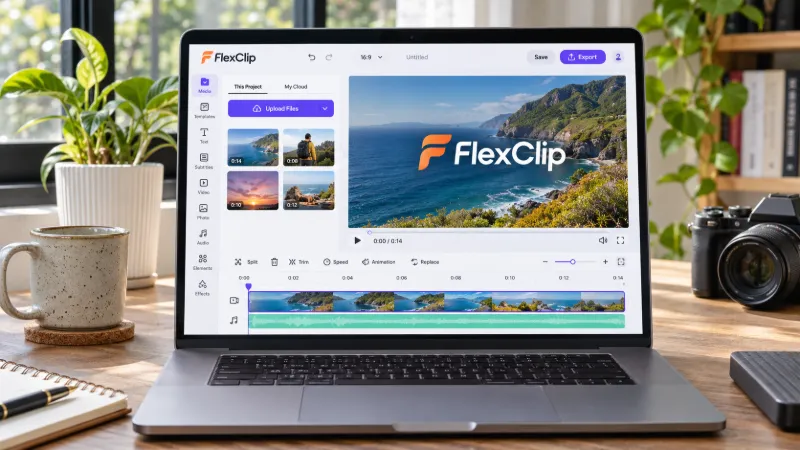
Making a decent video used to mean installing heavy software and learning a timeline full of tiny buttons. FlexClip takes the opposite route. It is an online video maker and editor from PearlMountain that runs in the browser, and the company describes it as simple yet powerful, built for people who want to create video content for personal or business use without a learning curve.
In this FlexClip review we look at what the editor includes, how the three plans differ, what the AI credits are for, and how to pay less for a subscription.
For the current savings in one place, see the latest FlexClip coupon codes and deals on Remaxcode.

FlexClip
Black Friday: 40% Off Video Editing Plans
Enjoy 40% off FlexClip video editing subscription plans.
FlexClip
Black Friday: 20% Off AI Credits
Get 20% off FlexClip AI credit packages and AI credit subscription plans.
FlexClip
40% Off Education Plans
Students and educators save 40% on FlexClip Plus or Business after verification.
FlexClip
Save Up to $120 With Annual Billing
Choose annual billing on FlexClip paid plans and save up to $120 a year.
FlexClip
FlexClip Plus From $11.99/Month
FlexClip Plus is $11.99 per month billed annually ($143.88), down from $19.99.
FlexClip
Free Plan Available
Start with FlexClip’s free plan at $0 per month, including 720p HD downloads.
What FlexClip is
FlexClip is a web-based video editor with a large template library and a growing set of AI tools. You pick a template or start from scratch, drop in your clips, photos and music, add text and export. The site groups its uses by purpose: promo, marketing, news, trailer and intro videos for businesses, and wedding, birthday, invitation, lyric and slideshow videos for personal projects. There are also layouts sized for YouTube, Facebook, Instagram, Twitter and TikTok.
Around the editor sits a toolbox of single-purpose utilities that many people will use on their own: a video compressor, converter, trimmer and merger, a screen recorder, chroma key, freeze frame, speed curve, video collage, and tools to add text or subtitles to a video.
The AI tools
FlexClip has moved well beyond templates. Its AI menu currently lists, among others:
Video: AI Video Generator, AI Text to Video, AI Avatar, AI Auto Subtitle, AI Video Background Remover, AI Long to Shorts, Auto Edit, AI Product URL to Video, AI PPT to Video and AI 3D Photo Animation.
Image: AI Text to Image, AI Image to Image, background and object removers, Old Photo Restoration, Headshot Generator, Image Extender and Image Upscaler.
Audio: AI Text to Speech, AI Voice Cloning, AI Music Generator, AI Sound Effect and AI Video to SFX.
AI Avatar and AI Long to Shorts are marked as new on the site. These features run on FlexClip AI Credits. The free plan includes a limited free trial of AI features, while paid plans add a yearly credit bonus, and separate credit packages are sold under the Credits tab of the pricing page.
FlexClip plans and prices
FlexClip sells three video editor plans. Prices below are the US dollar prices shown on the pricing page with annual billing selected.
Free: $0
The free plan gives you 720p HD downloads, a free trial of the AI features, one stock video and one stock audio track per project, up to 12 saved projects and a video length of up to 10 minutes. It is enough to learn the editor and make short clips.
Plus: $11.99 a month, billed annually
Plus is the plan FlexClip marks as most popular. It costs $143.88 billed once a year, which works out to $11.99 a month, compared with $19.99 if you pay month by month. It adds:
1080p Full-HD downloads and unlimited video length
3,600 AI credits bonus per year
5 stock videos and 5 stock audio tracks per project, plus FlexClip premium resources
Unlimited saved projects, 30GB of cloud space and 100GB of video hosting space
Brand Kit, custom font uploads and up to 100 saved templates
No FlexClip watermark on exports
Business: $19.99 a month, billed annually
Business costs $239.88 a year, or $29.99 on monthly billing. It raises exports to 4K Ultra HD, lifts the stock limits to unlimited video and audio, and increases the AI bonus to 9,600 credits a year. Storage grows to 100GB of cloud space and 1TB of video hosting, and you can save up to 200 templates. FlexClip also offers a Team plan priced by the number of seats.
How to save on FlexClip
There are several real ways to lower the price, and they are worth stacking in the right order.
Black Friday codes. Two codes are listed for this season: FCVEBF for 40% off video editing plans and FCCBF for 20% off AI credits, both valid until 6 December 2026. The checkout has a "Have a coupon?" field where you redeem them.
Annual billing. The pricing page says annual billing saves up to $120 a year. On Plus the gap is $19.99 versus $11.99 a month, and on Business it is $29.99 versus $19.99.
Education discount. FlexClip runs an Education Discount page for students and teachers, listed on Remaxcode as 40% off education plans.
Start free. The free plan has no time limit, so you can test templates and the editor before paying anything.
All of these are collected on our FlexClip store page, where expired codes are removed as they end.
Refunds and checkout
The checkout page shows a 7-Day Money Back Guarantee badge and a 128-bit SSL secure checkout. Payment is by PayPal or card. FlexClip states that a plan renews automatically at the end of the term and that you can change or cancel it at any time in your account settings. If you take an annual plan with a discount code, note the renewal date, because the checkout shows the renewal price separately from the discounted first payment.
Who FlexClip suits
FlexClip makes the most sense for people who need good-looking videos regularly but do not want to become editors:
Small business owners and marketers producing promos, product videos and social clips
Teachers and students making lessons, presentations and class projects
Creators who repurpose long videos into shorts and need fast subtitles
Anyone putting together a wedding, birthday or memorial slideshow a few times a year
If you cut long-form films, need frame-accurate colour work or want to work offline, a desktop editor is still the better tool. FlexClip is built for speed and templates, not for that kind of control.
Things to check before you subscribe
Resolution. Free exports stop at 720p. If you publish to YouTube or run ads, plan on Plus for 1080p, or Business for 4K.
Stock limits. Plus allows five stock videos and five stock audio tracks in each project. Heavy stock users may hit that ceiling and need Business.
AI credits. The yearly bonus (3,600 on Plus, 9,600 on Business) is a fixed amount. FlexClip does not publish on the pricing page how many credits each AI tool uses, so check inside the editor before relying on a tool for volume work.
Renewal. Plans renew automatically. Set a reminder if you only need the editor for one project.
FlexClip FAQ
Is FlexClip free?
Yes. There is a free plan with 720p downloads, up to 12 saved projects and videos up to 10 minutes long. Paid plans remove the watermark and raise the quality and limits.
How much does FlexClip Plus cost?
Plus is $11.99 a month when billed annually ($143.88 a year) or $19.99 on monthly billing, according to the pricing page in November 2026.
Does FlexClip have a refund policy?
The checkout displays a 7-Day Money Back Guarantee. Read the terms on the site for the conditions before you buy.
Do FlexClip coupon codes work on AI credits?
The current codes are split: FCVEBF applies to video editing plans and FCCBF to AI credits. Use the one that matches what you are buying.
Our verdict
FlexClip is a practical choice for quick, polished videos without software to install. The free plan is honest about its limits, Plus covers most small-business and classroom needs at $11.99 a month on annual billing, and Business is there when you need 4K and unlimited stock. With a 40% Black Friday code available until early December and a 7-day money-back guarantee at checkout, the risk of trying a paid plan is low. Check the current FlexClip offers before you pay, and choose annual billing only if you expect to use it all year.