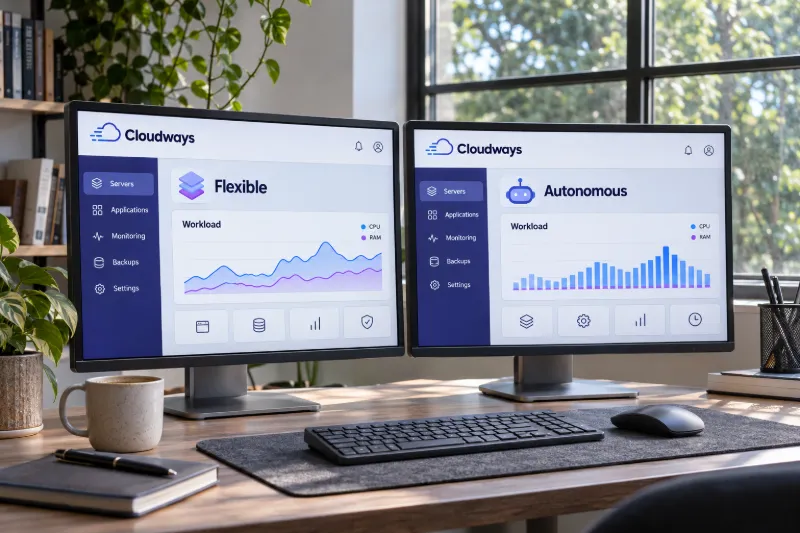
Cloudways Flexible and Autonomous solve different hosting problems. Flexible gives you a server-based setup with a choice of infrastructure. Autonomous packages a more automated environment for WordPress and WooCommerce. The better fit depends on what you need to control, how demand changes and who looks after the website.

This comparison focuses on operational fit. It does not claim that one product is universally faster, and it is not based on a hands-on benchmark.
Application support comes first
If your project includes Laravel, Magento or another supported PHP application, investigate Flexible. Autonomous documentation identifies WordPress and WooCommerce as its supported application types. Cloudways also states that WordPress Multisite is currently unsupported on Autonomous.
That difference matters to agencies. Several independent WordPress websites and one WordPress Multisite network are different setups. Do not assume a product that supports the former supports the latter. List your actual architecture before discussing migration.
Compare capacity management with automatic scaling
With Flexible, server selection is part of the workflow: choose the infrastructure and configuration that suit the application, then monitor it as requirements change. Autonomous uses an autoscaling architecture designed to respond to changing demand.
Automatic scaling may be attractive for a store with irregular campaign traffic. It still needs a budget and a compatible application. Conversely, a predictable site may benefit more from a carefully sized configuration than from extra automation it rarely needs.
Look at the operating model, not just the feature list
Flexible is a useful starting point when your team wants more say in its server setup. Autonomous uses a more standardized managed environment. Its documentation says the default core stack cannot be customized, although certain application PHP settings can be adjusted.
Before choosing, ask the person maintaining the site to list custom rewrite rules, scheduled tasks, external services and plugins that are important to the business. Resolve any compatibility questions with support before moving production traffic.
Check what is included and what is optional
Cloudways lists Cloudflare Enterprise among the included Autonomous features. On Flexible, check the current add-on offering and charges for the configuration you select. Compare the services you will actually use rather than assigning value to every item in a marketing table.
For example, a bundled feature is useful if it replaces an existing cost or solves a real requirement. It is less relevant if you would not otherwise buy it. Avoid treating a provider's stated retail value as cash saved automatically.
Staging still has resource implications
Both products provide staging workflows, but the accounting differs. Cloudways says a Flexible staging application on an existing server has no separate staging fee, while using that server's resources. Autonomous staging usage counts toward relevant plan quotas even though the staging copy is not a separate application.
For a team that keeps large test copies, storage and deployment habits can affect the decision. Agree when test environments are refreshed and retired, and test a realistic deployment before moving client work.
A practical decision rule
Start with Flexible if supported PHP applications, Multisite or infrastructure choices drive the requirement.
Investigate Autonomous if you run compatible WordPress or WooCommerce sites and want an autoscaling managed workflow.
Pause the purchase if essential plugins or custom configuration have not been checked.
Make the decision against a written workload and budget. The Cloudways review provides broader context, while Cloudways offers can help once you know which product fits.

Cloudways
30% Off for 3 Months With Promo Code
New customers save 30% on Cloudways hosting for the first 3 months with promo code SAVE303.
Cloudways
Lifetime Deal: 75% Off Advanced Support
Get Advanced Support for $25/month instead of $100/month as a lifetime deal.
Cloudways
Free Trial – No Credit Card Required
Try Cloudways managed cloud hosting for free without a credit card.
Cloudways
Pay-As-You-Go Hosting, No Contracts
Pay only for the resources you use, with no long-term contracts.
Cloudways
Free SSL and 24/7 Expert Support on All Plans
Every Cloudways plan includes free SSL certificates and round-the-clock expert support.
Cloudways
Free Website Migration
Move your site to Cloudways with a free migration.
About Cloudways
Slow, crashing shared hosting costs you visitors and sales, but running your own cloud server means hours of setup, updates and security work. Cloudways gives you the speed of top cloud providers with the server management done for you.
Choose DigitalOcean, Vultr, Linode, AWS or Google Cloud, launch WordPress, WooCommerce, Magento, Laravel or PHP apps in minutes, and get built-in caching, free SSL, free migration, automated backups and 24/7 expert support. Plans are pay-as-you-go with no long contracts, and you can try Cloudways free without a credit card.
Cloudways best sellers right now: Cloudways Flexible, Cloudways Autonomous for WordPress, Cloudflare Enterprise add-on and Cloudways Copilot AI.
Looking for a Cloudways coupon code, Cloudways promo code or the latest Cloudways deals? Remaxcode tracks every current Cloudways promotion and discount in one place, so check the offers on this page before you check out.
Why shoppers choose Cloudways:
Free trial without a credit card
Managed servers on top cloud providers
Free migration and SSL
24/7 expert support
Ways to save at Cloudways
Before you check out, compare the current Cloudways offers listed on Remaxcode. These are the ones available when we last checked:
30% Off for 3 Months With Promo Code: New customers save 30% on Cloudways hosting for the first 3 months with promo code SAVE303. Use code SAVE303 at checkout.
Lifetime Deal: 75% Off Advanced Support: Get Advanced Support for $25/month instead of $100/month as a lifetime deal.
Free Trial – No Credit Card Required: Try Cloudways managed cloud hosting for free without a credit card.
Pay-As-You-Go Hosting, No Contracts: Pay only for the resources you use, with no long-term contracts.
Free SSL and 24/7 Expert Support on All Plans: Every Cloudways plan includes free SSL certificates and round-the-clock expert support.
Free Website Migration: Move your site to Cloudways with a free migration.
Offers can change or end at any time, so confirm the final price, shipping and any conditions in your basket before you pay.
Sources and editorial note
Sources: Flexible overview, Autonomous FAQ, and staging documentation. Checked October 25, 2026. Features and limits may change. Remaxcode may earn a commission through affiliate links.